Connect local and remote servers
Register HTTP and SSE servers or run stdio processes through the runner. Manage connections in the same workspace.
Connect your MCP servers through a single endpoint. Choose the tools each project needs and give your team control over what AI can access.
HTTP, SSE and stdio · Server-side credentials · Organization access
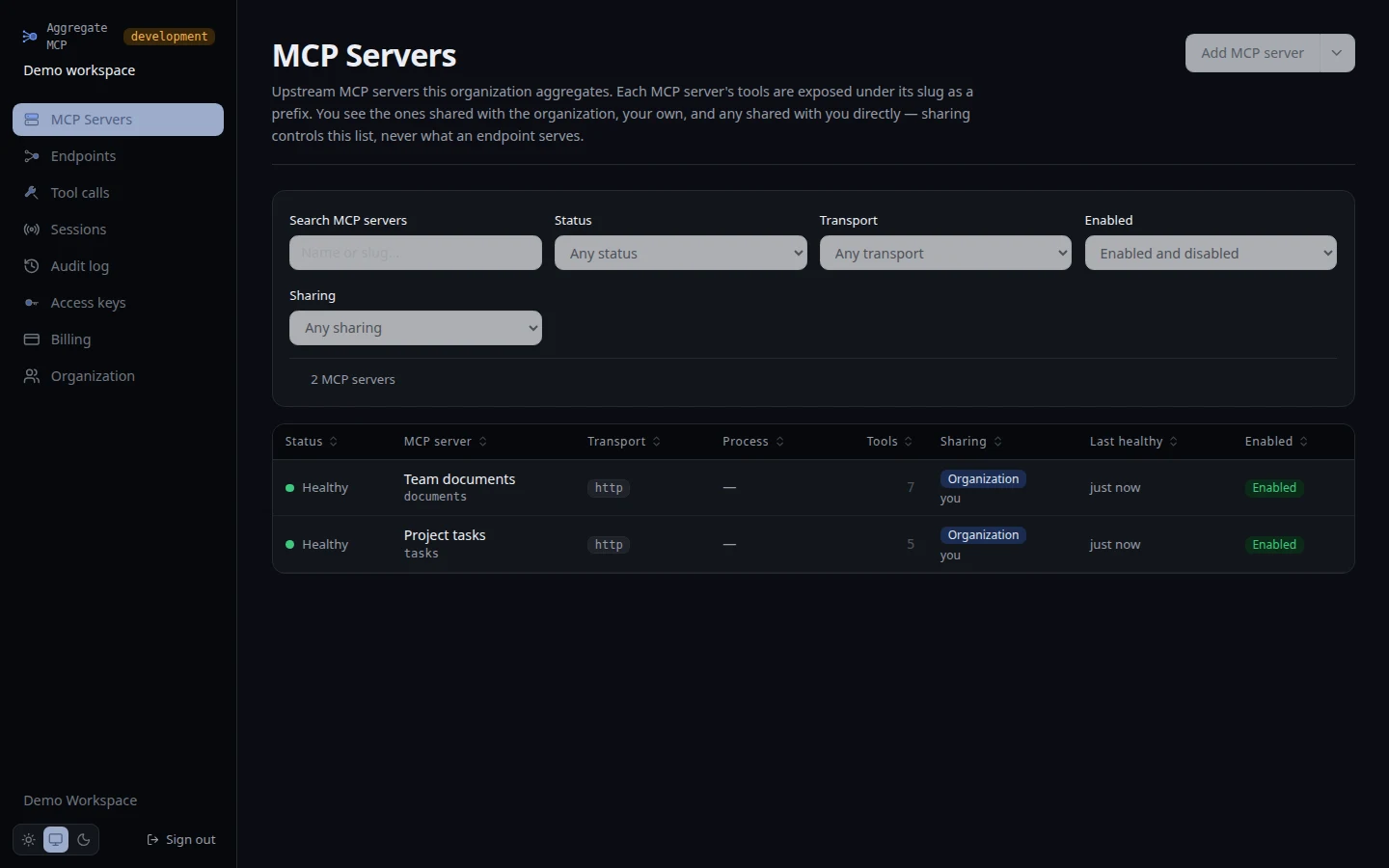
Actual application screenshot with demonstration data.
ONE ENDPOINT FOR THE CLIENTS YOU ALREADY USE
FROM CONFIGURATION TO COLLABORATION
Stop repeating credentials and server lists on every machine. Centralize connections and publish a tool set for each context.
Servers configured in every client
Credentials copied between machines
Every tool in every project
One URL per tool set
Credentials stored on the server
Catalogs filtered by endpoint
CONTROL EVERY CONNECTION
One interface to connect, organize and monitor your MCP servers.
Register HTTP and SSE servers or run stdio processes through the runner. Manage connections in the same workspace.
Combine servers into endpoints and filter tools, resources and prompts. Expose only the items that a client should use.
Encrypted server-side credentials, API key or OAuth access, and organization-level permissions.
Inspect calls, latency and outcomes. Monitor sessions, server health and audit events.
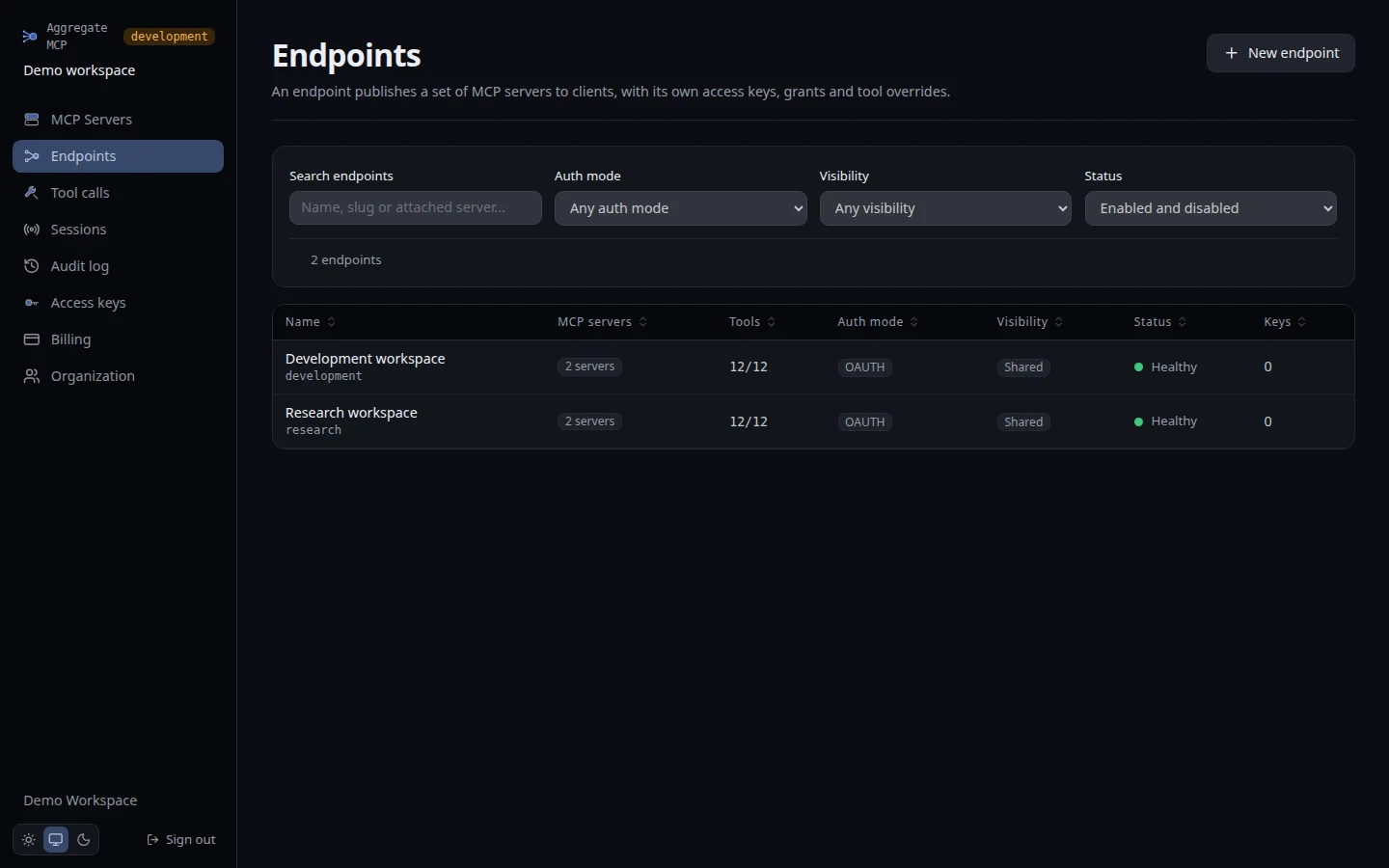
Actual application screenshot with demonstration data.
A SIMPLE WORKFLOW
Connect a remote server or configure a stdio command. Aggregate discovers the available catalog.
Select servers, filter tools and choose authentication for each project or team.
Copy your endpoint URL into your MCP client. Configuration updates stay centralized in Aggregate.
claude mcp add --transport http aggregate \
  https://aggregatemcp.com/mcp/my-team/dev-tools
Illustrative example. Copy your endpoint URL and configuration from the application.
ACCESS WITH ACCOUNTABILITY
Separate workspaces by organization, control member roles and define access to each endpoint. Upstream credentials do not need to live in your team’s configuration files.
PLANS FOR YOUR OPERATION
A subscription per organization. Plans differ in runner capacity and process lifecycle policy.
For centralizing your first projects and running processes on demand.
per organization · billed monthly
Choose StarterFor teams that need more processes and an always-warm runner.
per organization · billed monthly
Choose ProFinal price and terms are displayed at checkout. Annual plans appear in the app when available.
| Feature | Starter | Pro |
|---|---|---|
| Concurrent processes | 20 | 50 |
| Keep processes active | On demand | Yes |
| Dedicated organization runner | Included | Included |
| Endpoints with tool filters | Included | Included |
| HTTP, SSE and stdio servers | Included | Included |
| API key and OAuth authentication | Included | Included |
| Member and permission management | Included | Included |
| Call logs, sessions and audit trail | Included | Included |
FAQ
It is a management layer between your AI clients and MCP servers. It groups servers into endpoints, filters catalogs and centralizes access control and observability.
Clients supporting the MCP transport offered by the endpoint, such as Claude Code, Claude Desktop and Cursor. Authentication options vary by client; check your endpoint configuration in the app.
Yes. The runner executes stdio processes and bridges them to the HTTP gateway. You can also register remote Streamable HTTP or SSE servers.
Server credentials are stored encrypted in Aggregate. Clients access an endpoint using its configured authentication without receiving upstream credentials.
Starter allows 20 concurrent processes started on demand. Pro allows 50 and keeps processes warm. Both include a dedicated runner, endpoint filters and the management features presented on this page.
The organization owner chooses a plan in Billing. Payments, invoices and cancellation are managed through the Stripe portal available in the application.
Organize your team’s tools and give AI the right context.
Get started